
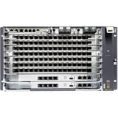
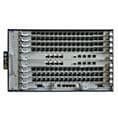



In daily network operations, stability is critical for ensuring uninterrupted service delivery. However, engineers may occasionally encounter a situation where a service boards of GPHF CGHF or NXED on the Huawei MA5800 OLT resets repeatedly.
This issue can impact network performance and must be resolved quickly. In this guide, we provide a clear and practical troubleshooting process using CLI commands.
Common Causes of Repeated Resets
Before diving into troubleshooting, it’s important to understand the possible causes:
- Hardware faults on the service board
- Software version mismatch or missing packet files
- Backplane issues in the subrack
- Environmental problems such as overheating or fan failure
- Power-related abnormalities
Step 1: Check Alarm and Event History
Start by identifying any abnormal system behavior.
Run the following commands:
display alarm history all
display event history all
Look for alarms related to:
- Board type mismatch
- Communication failure with control board
- Hardware faults
- Over-temperature warnings
- Fan failures
- Voltage or current abnormalities
If alarms are found, follow the relevant maintenance guide to clear them and check whether the issue is resolved.
Step 2: Verify Board Software Version
A mismatch or missing packet file can cause repeated resets.
Run:
display io-packetfile information
Check whether the board software version matches the version specified in the Release Notes.
- If not matched → reload the correct packet file
- If matched → continue troubleshooting
Step 3: Test the Service Board in Another Slot
Move the faulty board to a known good slot:
- If it works normally without reset → issue may be slot-related
- If it still resets → likely a board hardware issue
Step 4: Test a Normal Board in the Faulty Slot
Insert a known good board into the original faulty slot:
- If it works normally → original board is faulty
- If it resets → backplane of the subrack may be faulty
Step 5: Check Reset Records
Enter diagnostic mode and run:
display reset-record
Analyze reset logs to identify deeper system or hardware issues.
Step 6: Escalate if Needed
If the issue persists after all checks:
- Save all diagnostic outputs
- Contact technical support for further analysis
Best Practices to Prevent This Issue
To minimize the risk of repeated board resets:
- Ensure correct software version during upgrades
- Maintain proper cooling and airflow
- Regularly monitor alarms and system logs
- Use ESD protection when handling boards
- Perform periodic hardware inspections
Conclusion
Repeated service board resets on the Huawei MA5800 OLT are usually caused by hardware faults, software inconsistencies, or environmental issues.
By following a structured troubleshooting approach—checking alarms, verifying software, and isolating hardware—you can quickly locate the root cause and restore stable operation.