
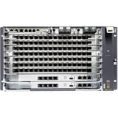
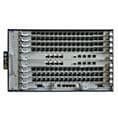
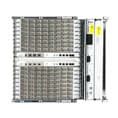
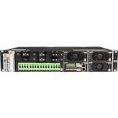



When working with the Huawei MA5800, one of the common issues engineers may encounter is a service board in a failed state, especially GPON or XGPON board such as H902GPHF and CGHF.
This problem can impact network performance, service delivery, and overall system stability. In this guide, we’ll walk you through a practical and efficient troubleshooting process based on real-world maintenance experience.
What Does “Service Board Failed” Mean?
A failed service board indicates that the board:
- Cannot start properly
- Is not recognized by the system
- Or has entered an abnormal working state
This issue may be caused by:
- Incorrect board configuration
- Hardware insertion problems
- Power supply issues
- Faulty board hardware
Step-by-Step Troubleshooting Guide
1. Verify Board Type and Configuration
Start by checking whether the installed board matches the system configuration.
CLI Command:
display board frameid/slotid
Check:
- Actual inserted board type
- Configured board type
If they do not match:
- Insert the correct board, or
- Correct the configuration using:
board delete
board confirm
Wait about 5 minutes and recheck the board status.
2. Ensure the Board Is Properly Inserted
Improper insertion is one of the most common causes.
Actions:
- Remove the board
- Reinsert it firmly into the slot
- Ensure proper seating
Always follow anti-static precautions when handling hardware.
3. Check the Power Supply
A faulty or unstable power supply can prevent the board from starting.
Verify:
- Power modules are working normally
- The cabinet power supply is stable
If power is abnormal:
- Fix the power issue first
- Then recheck the board status
4. Replace the Service Board
If the issue persists, perform a swap test.
- Replace with a known good board of the same type
Result analysis:
- New board works → Original board is faulty
- New board also fails → Issue may not be board-related
5. Check Reset Records for Further Diagnosis
Run:
display reset-record
This helps identify:
- Unexpected resets
- Hardware-related errors
- System-level faults
Best Practices to Prevent Board Failure
To minimize the risk of service board failures:
- Always verify board compatibility before installation
- Ensure proper insertion during deployment
- Maintain stable power supply conditions
- Handle boards using anti-static protection
- Keep firmware and system configuration consistent
Conclusion
Troubleshooting a failed service board on the Huawei MA5800 is typically a structured process:
Check configuration → Check hardware → Check power → Replace board
By following these steps, most issues can be quickly identified and resolved, reducing downtime and ensuring stable network operation.